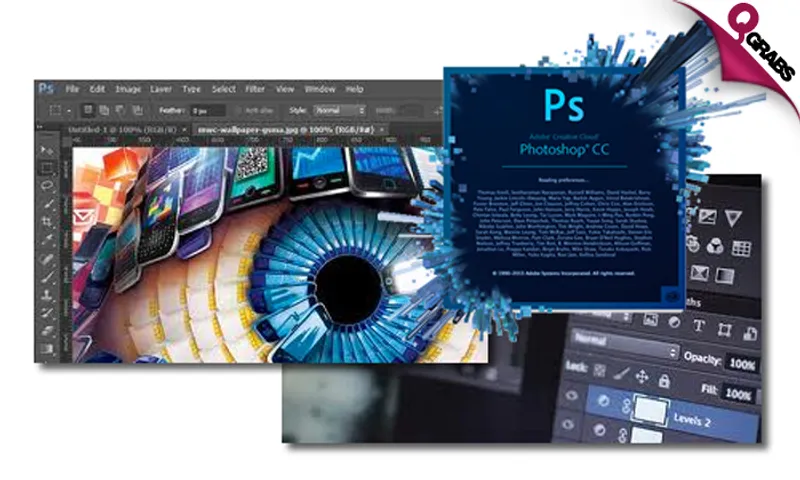
Adobe Photoshop CC Mysteries Online Course - Access for One OR Two People!
QR 59Save 86%
This deal is no longer available. Please check all our active deals.
All Active Deals
8 Projects - Get To Work!
How do you learn the best? Try it firsthand. These 8 art projects are just waiting to teach you skills you can be proud of, with lovely art work as a bonus at the end!
*Adobe Photoshop CS6 Online Course*
*Chapter 1 - How to Transform Your Photo Into Artistic Fine Art*
- Intro - How Light Works
- Work with Polygonal lasso tool to add depth of field
- How to blend in the rain image
- How to create realistic fog
- Create realistic rainy text
- Final fine art photo-manipulation
*Chapter 2 - Artistic Face and Body Text Effect Tutorial*
- Intro - What we learn
- How to create a Displacement Map
- How to use Pen Tool Professionally
- How to work with Channel and Replace Color Tool
- Create Special Face and Body Text Effect (Free Preview)
- How to make an Artistic Photo-Manipulation
*Chapter 3 - Splatter Photo Manipulation*
- What You Will Learn During This Project
- Work With Quick Selection Tool and Refine Edge
- Vanishing with Content Aware
- Quick Selection
- How to use Liquefy Tool
- How To Use Warp Tool
- Clean the mess
- Creating Splash by using brush presets
- Working With Stamp tool
- Complete the Splatter Photo
- Work With Color Adjustment
*Chapter 4 - How to Create Your Own Realistic Background*
- Intro - How to create your own realistic Background
- Quick selection tool and refined Edge
- Create your first background
- How to create a custom shape background
- Create an amazing 2 in 1 background
*Chapter 5 - How To Create Double Exposure Effect in Photoshop Using Screen Mode Option*
- Intro To Create Silhouette Photographs
- How To Isolate The Subject
- Creating Double Exposure Effect (Screen Mode)
- Frame Your Artwork
*Chapter 6 - How to Retouch Lips like a Pro for Advertising*
- Intro - What you will learn
- How to work with the pen tool
- Work with blend mode and coloring options.
- How to work with Gradient Color
- Working on skin color
- Adding lipstick to the page
- Specify the lips by drawing the lines and masking the face
- Changing the lipstick color to match it with the lips
- Finish the project by masking the face
*Chapter 7 - How to Create a Portrait Triangle Effect*
- Intro - what you will learn
- Creating triangle Effect
- Fixing the missing part
- Creating Symmetry
- Color Adjustment
*Chapter 8 - How to Turn a Personal Photo into a Sketch and then into a Colorful Poster Design*
- Intro - What you will learn
- How turn your photo into a sketch
- Enhance the contrast of your sketch
- Designing a poster background
- Start working on the poster
- Adding cloud brushes
- Adjusting the color to finish the project
*Bonus Chapter - How to Make a Clock Face*
- Intro To How Create A Clock Face
- The Secret of Step and Repat Process
- Adding Times
- Create the Click-Hands
- Different Clock Border for Your Design
*Bonus Chapter 2 - Milky Text Effect*
- How to Start
- How to blend in photographs
- How to create special grass text effect
- How to create realistic edges for the Text
- Working with layer Style
- How to create the Milky text Effect
Teacher Bird is an online training portal, establishing a bridge between teachers and students by imparting knowledge through educational tutorial videos on Adobe software courses, Microsoft training, Mac OS Lion or Windows 8 training programmes, and more.
Employing a project based learning concept, the courses offer case to case problem based methodologies where short, concise, and practical tutorials capitalize on the advantage of elearning. As such, learners adopt the freedom of learning in the comfort and convenience of their own home via a computer or laptop.
Highlights
*Option 1: Photoshop CC Course for 1 Person*
Pay QR59 instead of QR437
*Option 2: Photoshop CC Course for 2 People*
Pay QR99 instead of QR874
- Discover the tricks and skills of Adobe Photoshop CC (Creative Cloud) with 8 different artwork projects!
- Transform your normal photo to very artistic fine art photograph!
- Learn how to create artistic Face and Body Text Effect Tutorial!
- Explore how to create Splatter photo manipulation!
- Create your own realistic background to liven up any image!
- Discover how to Create Double Exposure Effect in Photoshop Using Screen Mode Option!
- Understand how to retouch like a pro for perfect advertising images!
- Learn how to create a Portrait Triangle Effect for more advanced photo manipulations!
- Explore how to turn a personal photo into a sketch and then turn it into a colorful poster design!
- Includes online exam and certification!
- Complete the courses at your convenience for a year!
- 12 months unlimited access to the online training material allows self paced learning from the comfort of your own home!
- Project based learning approach for accelerated learning and practice!
- Practice files provided!
- Monitor your progress on a user-friendly interface!
- Instructions for both Mac and Windows system!
- Accessible on any device!
- Software not needed for completion of training course!
- Create your own professional portfolio using the latest design technology
- Simply click on each product’s thumbnail at the Products page for courses detail such as table of contents, free videos, etc.
Fine Print
- Valid from 3 Aug. - 3 Oct. 2018
- Vouchers not redeemed by 2 Oct.2018 will NOT be refunded
- 12 months unlimited access after redemption
- Internet access required
- Instructions for both Mac and Windows systems
- Software is not required
- Course valid for one year once activated
- Not valid with other offers
- No cash value/No cash back/No refunds
*How to Redeem:*
To activate your voucher and assign your course:
- Visit: http://www.teacherbird.com
- Signup for a new profile or login to your profile
- Go to the upper part of the page and click Redeem on Voucher
- Enter your voucher code number: One OR Two People Option
- Voucher issuer: Choose QGRABS
- Country of issue: Choose QATAR
- Enter Qgrabs voucher code
- Choose product family: Adobe
- Select course Photoshop CC Mysteries
- TeacherBird.com will take 1 working day to assign the course
- You will be able to start the course approximately 1 working day after registration date
Watch the Sign Up and Redeem Video here
Please see the terms for all deals here