
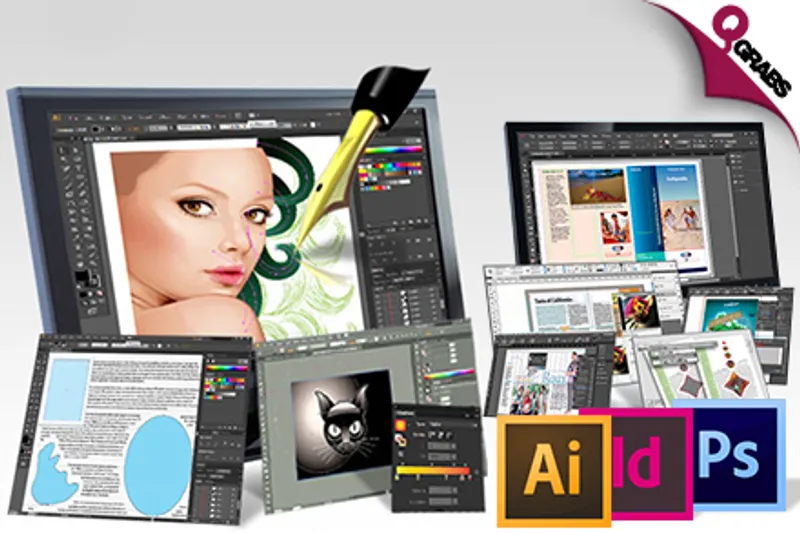
For QR249 Harness Your Illustrator, InDesign & Photoshop Skills with the Creative Designer Online Course Package! (QR3599 Value)
QR 249Save 93%
This deal is no longer available. Please check all our active deals.
All Active Deals
Graphic Deal!
You may be able to fiddle with Photoshop and InDesign, but wouldn’t you like to use these programs fully?! Make those images bouncin’ around in your head, no problem. In this day and age, every company is looking for a Graphic Designer… take advantage!
*Section 1 - ILLUSTRATOR CS6: ESSENTIALS*
*Illustrator Interface & Setup*
- Opening Documents
- Working with Multipls Documents
- Zooming & Panning
- Exploring the Menus & the Toolbar
- Exploring the Panels
- Vector vs. Raster & Working with Different File Types
- Setting UI Brightness
*Document Setup & Art Boards*
- Creating a New Document & Setting Preferences
- Introducing the Artboard Tool
- Working in a Video Preset
- Setting Up Multiple Artboards
- Using Multiple Artboards
- Overlapping Artboards
*Creating Objects*
- Locking a Selection, Enabling Smart Guides & Setting Up the Ruler
- Drawing a Rectangle & Using Keyboard Shortcuts
- Drawing a Rounded Rectangle & an Ellipse
- Drawing a Polygon, a Star & a Flare
- Drawing Lines, Arcs, Spirals & Grids
- Editing Shapes with the Direct Selection Tool
*The Adobe Pen Tool*
- The Pen Tool Explained
- Pen Tool Basics
- Drawing Shapes with Bezier Points
- Adding, Deleting & Converting Anchor Points
- Using Bezier Controls to Draw a Heart Shape
- Tracing an Image with the Pen Tool
*Groups, Layers & Transformations*
- Understanding Object Hierarchy
- Changing Object Stacking Order
- Grouping Objects
- Performing Basic Transformations
- Transform Strokes, the Transform Panel & Transform Multiple Objects
- Using the Transform Each Command & Isolation Mode
- Using the Transform Tools & Resizing the Artboard & Its Content
*Colors & Color Spaces*
- Basic Fills & Strokes
- The Color Panel & the Eyedropper Tool
- RGB vs. CMYK
- Color Spaces & Adjusting the Appearance of Black
*Swatches, Gradients & Patterns*
- The Swatches Panel
- Loading a Swatch Library
- The Basics of Gradients
- Saving & Editing Gradients
- Gradient Recommendations
- Creating & Working with Patterns
*Strokes, Effects & Appearance*
- Stroking a Path via the Control Panel
- Using the Stroke Panel
- Modifying Corner Type, Stroke Alignment & Corner Limit
- Using the Appearance Panel & the Offset Path Command
- Using the Appearance Panel to Recreate Artwork
- Applying a Gradient Stroke, Editing Effects, Saving & Applying Graphic Styles
*Automating Shapes & Colors*
- Using the Shape Builder Tool
- Recoloring Artwork Automatically
- Aligning, Distributing & Averaging Shapes
- Using the Blend Tool
- Using the Transform Again Command
- The Pathfinder Panel
- Creating a Gear
*The Adobe Type Engine*
- Working with Point Text
- Area Text vs. Point Text
- Using the Character Panel
- Using Keyboard Shortcuts in the Character Panel
- Styling Document Text
- Adjusting Leading with Keyboard Shortcuts
- Fine Text Adjustments & Placing Area Text
- Flowing & Formatting Area Text
- Type on a Path & the Glyphs Panel
*Saving & Sharing Your Work*
- Saving Your Files
- Exporting & Creating PDFs for Print
- Setting Basic Printing Options
- Using the Save for Web Command & Making Art Pixel-Perfect
*Section 2 - INDESIGN CS6: ESSENTIALS*
*Working With The Indesign Interface*
- Getting Started with InDesign CS6
- Creating a New Document
- Selecting & Placing Content
- Working with the Type & Shape Tools
- Using the Control Panel
- Formatting Text
- Viewing & Arranging Panels
- Creating & Saving a Custom Workspace & Performing a Text Wrap
*Layout Basics*
- Creating InDesign CS6 Document Presets
- Working with Master Pages
- Margins, Column & Ruler Guides & Zooming
- Placing, Scaling & Arranging Graphic Elements
- Placing & Formatting Text, Part 1
- Placing & Formatting Text, Part 2
- Copying Elements between Documents
- Printing Documents
*Packaging & Preparing Document*
- The Capabilities & Limitations of Spellchecking
- Live Preflighting & Creating Custom Preflight Profiles
- Correcting Preflighting Problems
- Packaging InDesign Documents for Remote Printing
*Customizing Application Preferences*
- Setting General & Interface Preferences
- Setting Type & Composition Preferences
- Customizing Measurement, Grid & Guide Preferences
- Setting Dictionary, Spelling & Auto-Correction Preferences
- Setting Notes, Track Changes & Story Editor Display Preferences
- Adjusting Display Performance & Appearance of Black
- File & Clipboard Handling Preferences
*Creating a Template*
- Setting Up a Trifold Brochure Layout
- Manipulating Page Size & Orientation with the Page Tool
- Creating Paragraph Styles, Part 1
- Creating Paragraph Styles, Part 2
- Creating Character Styles
- Adding Custom Color Swatches
- Understanding Differences between Templates & Documents
*Creating a Document From a Template*
- Placing a Picture & Adjusting Display Performance Settings
- Placing, Formatting & Modifying Text with Paragraph Styles
- Creating Bulleted Lists & Formatting Graphics
- Replicating & Placing Repeated Elements
- Placing & Scaling Graphic Elements
- Formatting Type & Splitting Type within Text Frames
- Quality Checking, Packaging & Saving in InDesign CS6
*Creating Long Documents*
- Creating Long Document Templates, Part 1
- Creating Long Document Templates, Part 2
- Auto-Flowing & Formatting Type for Long Documents
- Refine Long Document Layouts by Extending Type Style Attributes
- Building a Table of Contents
- Making Index Entries
- Combining Multiple InDesign CS6 Documents into a Book
- Generating Master Indexes for InDesign CS6 Books
- Printing Review Proofs
*Creating Print Forms*
- Using the Tab Ruler
- Aligning with the Tab Ruler
- Using Spot Color, Inline Graphics & Fixed Space Alignment
- Studying Table Creation & Formatting
- Working with Table Styles
*Creating Interactive Pdf Files*
- Building Text Fields in PDF Documents
- Creating Check Boxes for Interactive Forms
- Setting up Radio Button Groups
- List Boxes & Combo Boxes for Interactive Forms
- Placing & Formatting Buttons
- Preparing for Digital Signatures & Saving Interactive PDFs
- Resetting Tab Order for Interactive Forms Credits
*Section 3 - PHOTOSHOP BASIC & ADVANCED SKILLS PACK: CS5, CS6 & NEW CC*
*Photoshop CS6 Extended: Essentials*
- Getting Started
- Making Selections
- Non-Destructive Editing & Working With Layers
- Creating Composite Images
- Designing With Type
- Restoring & Correcting Photos & Exploring Blending Modes
- Drawing & Painting in Photoshop
- Using Adobe Bridge
- Creating a Web Photo Gallery
*Photoshop: Mastering Advanced Techniques*
- Artistic Compositing
- 3D Modeling in Photoshop
- Textures & Lights
- 32 Bits Putting it Together
*Photoshop CC: Prepare for the Adobe Certified Expert Exam*
- Everything You Need to Know About The Photoshop ACE Exam
- Getting Images Into Photoshop
- Navigating And Customizing The User Interface (UI)
- Understanding Tsols and Tool Settings
- Creating and Working With Layers
- Adjusting Images
- Applying Globle Tonal and Color Adjustments to Images
- Working with Filters
- Using Pixel and Vector Based Tools
- Creating Selections
- Getting Images Out of Photoshop
- Conclusion
This course Is supplied by e-Careers. Founded in 2002, e-Careers specializes in delivering a vast array of education and training programs to a wide variety of clients in all sectors, with a strong team of career developers being available to advise students on career paths and study programs.
With over 200 man years already invested in research and development, e-Careers aim to offer a one-stop end to end e-Learning development solution, seamlessly combining Animated Content, Video Based Training, Audio Based Training, Virtual Classroom and Virtual Laboratories into a solution that will undoubtedly provide its clients a 21st century education programs.

Highlights
*Creative Design Package*
Pay QR249 instead of QR3599
- Develop and hone a full toolbox of skills to master the field of graphic design!
- Delve into Illustrator CS6, InDesign CS6 and Photoshop CS5, CS6 & New CC!
- Develop your skills with manageable units from beginner all the way to advanced!
- Learn how to create layer masks and feel comfortable working with them!
- Explore how to work competently with text, including how to add layer styles and designing text to suit different audiences!
- Discover how to restore and correct photographs using healing brushes and spot tool!
- Learn how to create a photo gallery on the web and how to improve image composition with cropping and auto adjustments!
- Explore the 3D modelling elements of Photoshop, including how to create a smooth grayscale gradient and how to merge various 3D layers!
- Examine the Illustrator interface and learn how to set up new projects, browse the various panels and learn some of the basics such as zooming, panning and setting UI brightness!
- Learn how to lock a selection and how to draw simple shapes such as rectangles, circles, ellipses and polygons. Learn how to edit the shapes using the direct selection tool!
- Understand the principle of object hierarchy and how to change object stacking orders. Learn how to perform basic transformations, using isolation mode, transform strokes and the transform panel!
- Get to grips with basic fills and strokes and explore the colour panel and eyedropper tool. Understand the difference between RGB and CMYK colour palettes!
- Explore the swatches panel, learn how to load a swatch library and gain insight into working with the concepts of gradients and patterns!
- Learn how to create new documents within the InDesign software and how to select and place content where you want it to be. Learn how to work with type and shape tools, and use the control panel effectively!
- Learn how to set up a trifold brochure layout, by manipulating page size and orientation and learn how to create paragraphs, colour swatches and character styles!
- Understand the difference between a document and a template and learn how to create a document from a previously designed template!
- The course is all online and can be accessed from anywhere in the world on a computer with Internet access!
- Learn through a variety of resources, including interactive tutorials, presentations, lectures and exercises to help the retention of information!
- Access the complete course content via computer or smartphone using a web browser!
- Includes free trials of Adobe software so you can apply your newly aquired knowledge first hand!
- 12 months unlimited access to everything!
- Technical team available 24/5 Monday - Friday!
Fine Print
- Valid from 8 March 2016 - 8 May 2016
- One voucher per person per course
- May buy multiple as gifts
- Vouchers not redeemed by 8 May will NOT be refunded
- No refunds/cancellations once the voucher has been redeemed
- Internet access, Flash player, and audio required
- No software included
- Operating system requirements: Microsoft Windows 2000 or later, Mac OS X 10.5 or later, iOS 4.0. or Android
- Browser settings need to be changed when using a Mac. Info can be found here - https://www.e-careers.com/faq
- Training material in English only
- Course completion certificate included
- For further information or Customer Support, contact: [email protected] or visit https://www.e-careers.com/creative-design/graphics-design/creative-designer-package
- Not valid with other offers
- No cash value/No cash back/No refunds
*How to Redeem:*
To activate your Grab and assign your course:
- Visit: http://www.e-careers.com/redeem-voucher
- Enter your code
- Sign into your existing account or create a new account if you're a new e-Careers user
- The course will be available, and attached to your account, within 3 working days
Please see the terms for all deals here