Qgrabs

From QR48 Learn the Ins and Outs of Adobe Photoshop CS6 with 1 Year Access to an Online Course! (Up to QR874 Value)
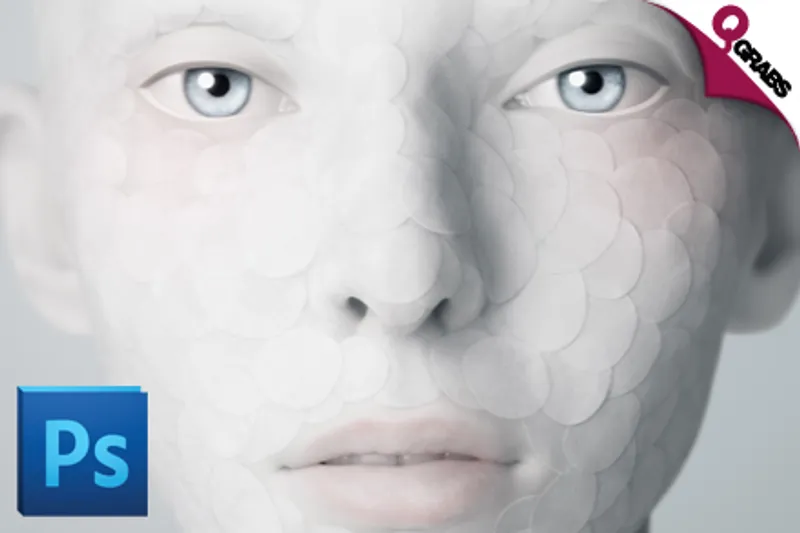
From QR48 Learn the Ins and Outs of Adobe Photoshop CS6 with 1 Year Access to an Online Course! (Up to QR874 Value)
Bought:32
Deal starts at:13 days -7:-5:27

QR 48Save 89%

Share this:

Photo Play!


Sit your tush down and learn a new, fun skill! Photoshop can be used in every business or even for fun... And you have all you need to know, waiting for you!


*Up to 90% off the best kind of manipulation around!*


*Adobe Photoshop CS6 Online Course*


*Chapter 1 - Introduction to Adobe Photoshop CS6*
Introduction

New Document

Switching Work Spaces
Adjusting Your Preferences

*Chapter 2 - Adobe Bridge Tour*
Launching Bridge

Interface Buttons

Customizing Your Workspace

Adobe Bridge Preferences

Sorting, Filtering, and Rating Photos
Renaming and Batch Renaming Photos
Creating & Adding Metadata

Creating & Modifying Keywords
Creating Collections & Smart Collections
Browsing in Mini Bridge

*Chapter 3 - Managing Your Documents*
Navigating Tabs

Rearranging Photos Within Tabs
Image Size vs. Canvas Size

*Chapter 4 - Camera RAW Essentials*
Camera RAW Preferences

Camera RAW Basic Editing

Cropping and Straightening in Photoshop
Editing an Existing Crop

*Chapter 5 - Understanding Layers*
The Layers Panel 
Creating, Rearranging, Grouping & Deleting

*Chapter 6 - Working With Brushes & Adding Text*
The Basic Brush Features

Adding Text

*Chapter 7 - Character, Paragraph, & Layer Styles*
Intro to Character and Paragraph Panels

Character and Paragraph Styles

Text on a Path & Within a Shape

Masking an Image into Text

Layer Styles & Effects


*Chapter 8 - Layer Masks & Image Retouching*
Using Layer Mask
 Content
Aware Image Decomposition

Blur
Filter
Layer Masking

Removing Blemishes

Whitening Teeth & Flawless Skin

*Chapter 9 - Understanding Channels & Creative Compositing*
Introduction to Channels
Layer Masking with Channels
Creative Compositing
Refine Edge Feature

*Chapter 10 - Patterns & Exploring the Filter Gallery*
Creating Patterns Using Shapes
Exploring the Filter Gallery
From Photo to Oil Paint

*Chapter 11 - Creating & Distorting Shapes*
Vector, Path & Pixel Shapes
Path Operations

*Chapter 12 - Importing & Adjusting Photos*
Placing Photos into Photoshop
Transforming, Distorting, & Cropping Photos
Photoshop Adjustment Tools & Layers

*Chapter 13 - Saving & Printing*
Principles of Saving & Printing Saving for the Web
Creating Contact Sheets
Creating PDF Presentation

*Outro Photoshop CS6*
Extra Graphic Projects
Retouch a Photo
Clone Stamp Tool
Beauty Retouch (Timelapse)


Teacher Bird is an online training portal, establishing a bridge between teachers and students by imparting knowledge through educational tutorial videos on Adobe software courses, Microsoft training, Mac OS Lion or Windows 8 training programmes, and more.


Employing a project based learning concept, the courses offer case ­to­ case problem based methodologies where short, concise, and practical tutorials capitalize on the advantage of e­learning. As such, learners adopt the freedom of learning in the comfort and convenience of their own home via a computer or laptop.


Photobucket


Highlights

Choose from:


*Option 1: Adobe Photoshop CS6 for One Person*
Pay QR48 instead of QR437


*Option 2: Adobe Photoshop CS6 for Two People*
Pay QR88 instead of QR874


  • Includes online exam and certification!
  • CS6 Course covering Beginner - Intermediate Level training!
  • Includes 13 chapters plus a Project Video, Practice File and 4 Hour Video!
  • Master the art of creating stunning images on Adobe software!
  • Get familiar with efficient ways to perform common editing tasks, including noise reduction, shadow/highlight detail recovery, retouching and combining multiple images!
  • 12 months unlimited access to online training material allows self-paced learning anywhere you desire!
  • Project based learning approach for accelerated learning and practice!
  • Practice files provided!
  • Monitor your progress on a user friendly interface!
  • Instructions for both Mac and Windows systems accessible on any device!
  • Adobe Photoshop software not needed for completion of the training course!
  • Create your own professional portfolio using the latest design technology!
  • Learn at your own pace throughout an entire year!


*Click Buy and Select*

Fine Print

  • Valid from 12 Aug. 2015 - 12 Oct. 2015
  • Click Buy and select course for one or two people
  • Voucher valid for chosen option only
  • Vouchers not redeemed by 12 Oct. 2015 will NOT be refunded
  • 12 months unlimited access after redemption
  • Internet access required
  • Instructions for both Mac and Windows systems
  • Software is not required
  • Course valid for one year once activated
  • Not valid with other offers
  • No cash value/No cash back/No refunds


*How to Redeem:*

To activate your voucher and assign your course:

  1. Visit: http://www.teacherbird.com
  2. Signup for a new profile or login to your profile
  3. Go to the upper part of the page and click Redeem on Voucher
  4. Enter your voucher information: One OR Two People Option
  5. Voucher issuer: Choose QGRABS
  6. Country of issue: Choose QATAR
  7. Enter Qgrabs voucher code
  8. Choose product family: Adobe
  9. Select course *Photoshop* CS6
  10. TeacherBird.com will take 1 working day to assign the course
  11. You will be able to start the course approximately 1 working day after registration date


Watch the Sign Up and Redeem Video here

Please see the terms for all deals here

Teacher Bird
Vendor Info
Teacher Bird
For Support contact: [email protected]
  • Loading ...