From QR48 Learn How To Use Adobe Photoshop CS6 with 1 Year Access to an Online Course! (Up to QR874 Value)
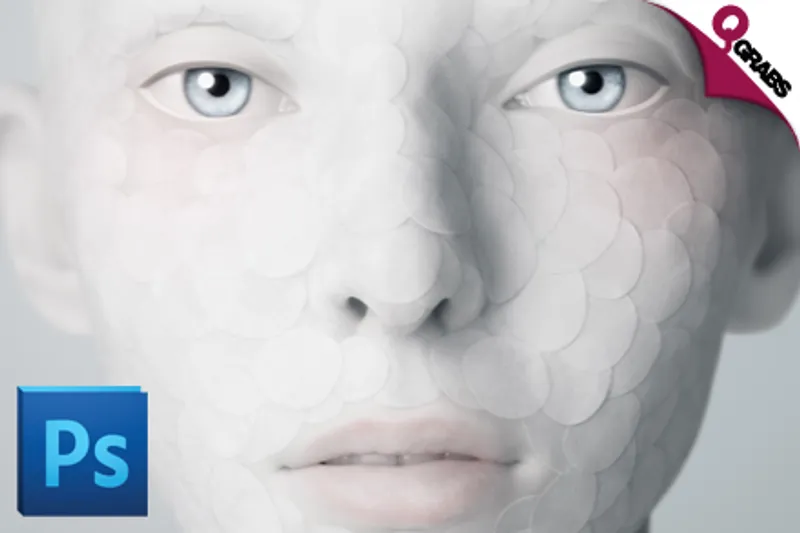
Create The Pic You Wish You’d Taken!
So, not all of us have been blessed with a photogenic mug. Or the talent of the great iconic photographers. In comes Photoshop. Retouch a shot, reduce red eye… or add a dinosaur in the background. For good or for fun, you’ll be able to be the photo wizard you’ve always dreamed of!
*Course Chapters:*
*Chapter 1 - Introduction to Adobe Photoshop CS6*
Introduction
New Document
Switching Workspaces
Adjusting Your Preferences
*Chapter 2 - Adobe Bridge Tour*
Launching Bridge
Interface Buttons
Customizing Your Workspace
Adobe Bridge Preferences
Sorting, Filtering, and Rating Photos
Renaming and Batch Renaming Photos
Creating & Adding Metadata
Creating & Modifying Keywords
Creating Collections & Smart Collections
Browsing in Mini Bridge
*Chapter 3 - Managing Your Documents*
Navigating Tabs
Rearranging Photos Within Tabs
Image Size vs. Canvas Size
*Chapter 4 - Camera RAW Essentials*
Camera RAW Preferences
Camera RAW Basic Editing
Cropping and Straightening in Photoshop
Editing an Existing Crop
*Chapter 5 - Understanding Layers*
The Layers Panel & Creating, Rearranging, Grouping & Deleting
*Chapter 6 - Working With Brushes & Adding Text*
The Basic Brush Features
Adding Text
*Chapter 7 - Character, Paragraph, & Layer Styles*
Intro to Character and Paragraph Panels
Character and Paragraph Styles
Text on a Path & Within a Shape
Masking an Image into Text
Layer Styles & Effects
*Chapter 8 - Layer Masks & Image Retouching*
Using Layer Mask
Content Aware Image Decomposition
Blur Filter Layer Masking
Removing Blemishes
Whitening Teeth & Flawless Skin
*Chapter 9 - Understanding Channels & Creative Compositing*
Introduction to Channels
Layer Masking with Channels
Creative Compositing
Refine Edge Feature
*Chapter 10 - Patterns & Exploring the Filter Gallery*
Creating Patterns Using Shapes
Exploring the Filter Gallery
From Photo to Oil Paint
*Chapter 11 - Creating & Distorting Shapes*
Vector, Path, & Pixel Shapes
Path Operations
*Chapter 12 - Importing & Adjusting Photos*
Placing Photos into Photoshop
Transforming, Distorting, & Cropping Photos
Photoshop Adjustment Tools & Layers
*Chapter13 - Saving & Printing*
Principles of Saving & Printing
Saving for the Web
Creating Contact Sheets
Creating PDF Presentation
*Outro Photoshop Cs6*
Extra graphic projects
Retouch photo
Clone Stamp Tool
Beauty Retouch (Timelapse)
Teacher Bird is an online training portal, establishing a bridge between teachers and students by imparting knowledge through educational tutorial videos on Adobe software courses, Microsoft training, Mac OS Lion or Windows 8 training programmes, and more.
Employing a project based learning concept, the courses offer casetocase problem based methodologies where short, concise, and practical tutorials capitalize on the advantage of elearning. As such, learners adopt the freedom of learning in the comfort and convenience of their own home via a computer or laptop.

Highlights
Choose from:
*Option 1: Adobe Photoshop CS6 for One Person*
Pay QR48 instead of QR437
*Option 2: Adobe Photoshop CS6 for Two People*
Pay QR88 instead of QR874
- CS6 Course covering Beginner-Intermediate Level training
- Includes 13 chapters plus a Project Video, Practice File and 4 Hour Video!
- Master the art of creating stunning images on Adobe software!
- Get familiar with efficient ways to perform common editing tasks, including noise reduction, shadow/highlight detail recovery, retouching and combining multiple images!
- 12 months unlimited access to online training material allows self-paced learning anywhere you desire!
- Project based learning approach for accelerated learning and practice!
- Practice files provided
- Monitor your progress on a user friendly interface!
- Instructions for both Mac and Windows systems
- Accessible on any device!
- Adobe Photoshop software not needed for completion of the training course!
- Create your own professional portfolio using the latest design technology!
- Learn at your own pace throughout an entire year!
*Includes online exam and certification!*
Fine Print
- Valid from 11 Nov. 2014 - 11 Jan. 2015
- Click Buy and select One or Two people
- Voucher valid for chosen option only
- Vouchers not redeemed by 11 Jan. 2015 will NOT be refunded
- Internet access required
- Adobe software is not required
- Course valid for one year once activated
- Not valid with other offers
- No cash value/No cash back/No refunds
*How to Redeem:*
To activate your voucher and assign your course:
Visit: http://www.TeacherBird.com
Signup and login to your profile
Enter your voucher information:
Voucher issuer: Choose QGRABS
Country of issue: Choose QATAR
Enter Qgrabs voucher code
Choose product family: Adobe
Selected courses: Adobe Photoshop CS6
TeacherBird.com will take 1 working day to assign the course
Check your profile approx. 1 day after registration to start your training
Watch the Sign Up and Redeem Video here
Please see the terms for all deals here