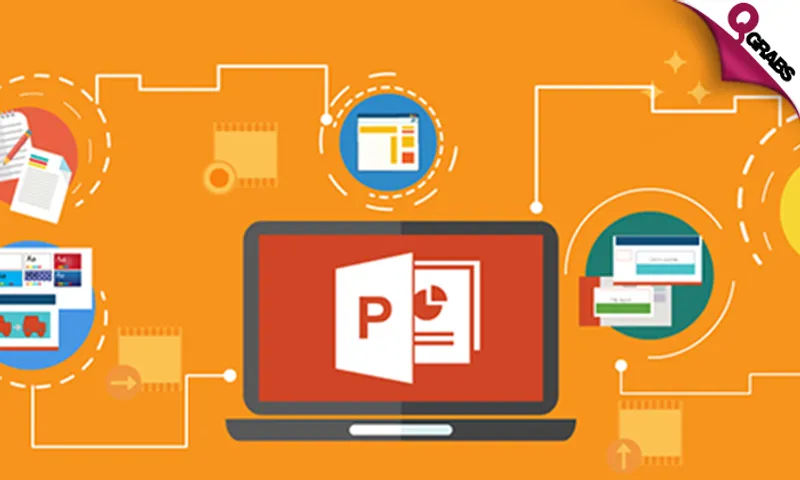
MS Powerpoint 2013 Package – Introduction, Intermediate And Advanced!
Bought:5
Deal ended at:22/11/2018 15:31 PM
QR 69Save 82%
This deal is no longer available. Please check all our active deals.
All Active Deals
Vendor Info
Vizual Coaching Academy
Master office skills at 82% off!
*Course Modules:*
MS Powerpoint 2013 Introduction
- Familiarise yourself with the user interface of the Powerpoint 2013 program, including various views of presentations.
- Learn to enter text into presentations.
- Continue to learn to insert graphical elements including pictures, shapes, clip art, symbols and equations.
- Edit all the inserted objects and move them within or between slides.
- Discover how to apply WordArt formatting to text.
- Learn to select a suitable layout of predefined text placeholders when inserting new slides into a presentation.
- Try to change the selected layout and learn how to restore the original.
MS Powerpoint 2013 Intermediate
- Learn to insert additional objects into the slides, including tables, charts, SmartArt graphics, sound and video.
- Continue with learning how to edit the objects.
- Understand how to organise slides, split them into sections and move them – even between presentations.
- Examine presentation themes in details and learn to customise the properties of a theme.
- Learn how to add a footer to the slides and customise the slide master.
- Compare and contrast two presentations as a learning tool.
MS Powerpoint 2013 Advanced
- Move on to advanced topics starting with learning to perform the last adjustments in a presentation in readiness for an audience.
- Learn to set the slides transition and assign animation effects to the different objects on the slides.
- Practise adjusting the animation settings.
- Learn to set the slide show timing.
- Continue with learning to set the properties of the presented slide show and how to add speaker notes.
- Try out the different options for delivering the presentation included in the new presenter view.
- Create your own custom template.
- Learn to save a presentation in different file formats.
- Finally learn how to print your presentation.
With online courses in accounting and bookkeeping, project management, Microsoft technical, Microsoft office, networking and many more, Vizual Coaching has everything you need to go further.
Learn today, lead tomorrow...
Highlights
*MS Powerpoint 2013 Package – Introduction, Intermediate And Advanced*
Pay QR69 instead of QR385
- Powerpoint skills are an asset in many positions, including those working in businesses that need to present ideas, products and more to clients or colleagues.
- Teachers and lecturers may also find Powerpoint useful, as may students who need to present as part of their assessments.
- Buying the course and planning to move? No problem! You can access the course from anywhere in the world.
- You'll be assessed as you progress throughout the course and you can easily track your progress and marks in your user area
- You can buy the course now but start the course anytime within the one year period
- We all have a busy life and we get it. You can study anytime you wish: late in the evening, weekends - whatever suits you better
- You’ll get access to detailed video tutorials, practical examples and really useful tips
*See below for course outline!*
Fine Print
- Valid from 2 Nov 2018 - 2 Jan 2019
- Redemption period: 2 months from deal's start date
- Limit 1 voucher per person
- Course content available for 12 months after purchasing
- May buy multiple vouchers as gifts
- Vouchers not redeemed by 1 Jan will NOT be refunded
- From the moment you start your course you'll have 60 days to complete it. You can get an extension if you need more time
- You'll get a free PDF certificate at the end of the course issued by Vizual Coaching and confirming your course completion.
- In order to be eligible for the certificate you need to successfully complete the course and pass each course module
- For more information visit: https://www.vizualcoaching.com/microsoft-office/microsoft-powerpoint/ms-powerpoint-2013-set-of-3-interactive-courses or write to [email protected]
- Internet access and audio required
- You’ll get access to detailed video tutorials, practical examples and useful tips
- Not valid with other offers
- No cash value/No cash back/No refunds
*How to Redeem:*
To activate your voucher and assign your course:
- Go to: https://www.vizualcoaching.com/home
- Click on Redeem Voucher
- Enter voucher code:
- Click on REDEEM
- If you are a first time student enter your email ID and register for a new account by filling your details in the following steps.
- If you are returning student you will be asked to login to your Virtual Campus
- Complete registration form and set up your username and password
- Start Learning!
Please see the terms for all deals here
Vendor Info
Vizual Coaching Academy