
For QR39 Start Creating an Online Masterpiece with an Introduction to Web Design Online Course! (QR950 Value)

QR 39Save 96%
This deal is no longer available. Please check all our active deals.
All Active Deals
If You Can Design It, You Can Launch It!
You've got the idea but you're just not sure how to get it going. It would seem this is where you should start! Get that idea up and running so the whole wide web can be a part of it!
*Course Modules:*
*Lesson 1: Introduction to Web Design*
Do you know the difference between the internet and the world wide web? Do you know the languages of these technologies and how they came to be? Is there even such thing as “The Cloud”?
This lesson will give you an introduction to what is involved in web design. What the internet is, where it came from, and the languages that are used to create websites.
At the end of this lesson you will have an understanding of the history and purpose of the internet and the WWW. You will also have a firm understanding of the function of HTML & CSS on the web.
*Lesson 2: HTML & CSS*
Now we can start making webpages. In this lesson we will learn the structure of HTML (Hypertext Mark-up Language) and CSS (Cascading Stylesheets). You will understand what it means to use HTML to mark-up the content of your webpages and how we use CSS to style our sites.
By the time we finish this lesson you will have an understanding of the syntax and purpose of HTML and CSS. You will also be able to create your own simple webpage with inline styling.
*Lesson 3: Planning a Website*
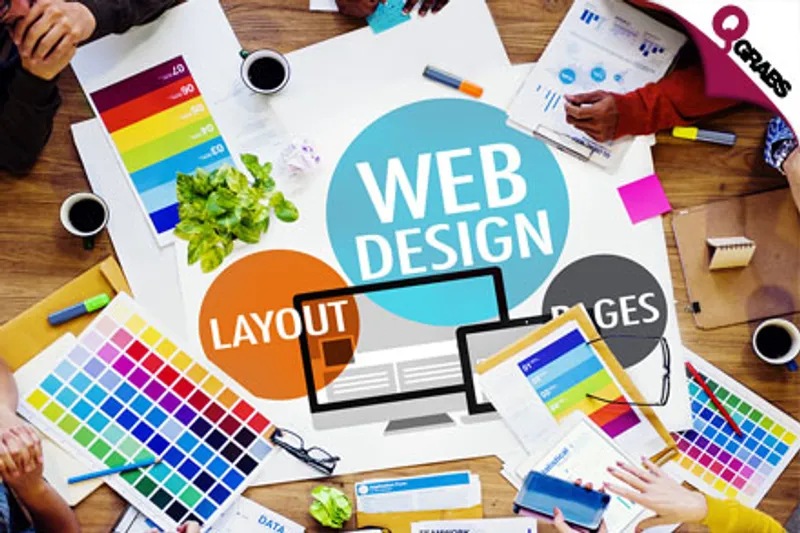
In this lesson we will discuss the techniques used to plan a website. Whether it’s to convey your vision to a client or to plan a personal project; This lesson will teach you about wireframes, colour theory, and website layout techniques. We will also have a look at some of the great resources that are available to help you create these elements.
At the end of this lesson you will be able to create simple wireframes while demonstrating an appreciation for good layout standards. You will also be able to choose a harmonious colour scheme.
*Lesson 4: Modern Web Design*
The main focus of this lesson is what is known as Responsive Web Design, this is the standard of modern web design. It essentially means that we develop a website to automatically fit the size of the screen that it is being viewed on.
We will see how CSS is used to make this happen in an effortless way and how we can even use Media Queries to test screen sizes and apply specified styling. We will also be discussing the different design approaches of Progressive Enhancement VS Graceful Degradation.
At the end of this lesson you will be able to start modifying your CSS to allow for responsive design. You will also have an understanding of how different browsers and devices can have different capabilities and how to plan ahead with this knowledge.
*Lesson 5: Web Site Enhancements*
There are many libraries and frameworks available to designers to enhance their creations. Libraries and frameworks can add new functionalities to your site and help speed up the development process. In this lesson we will discuss the various resources available to Web Designers, why and when they are used.
By the end of this lesson you will have a clear understanding of the role that libraries and frameworks have in web design. You will have also have learnt the various ways you can include these resources in your projects.
*Lesson 6: Graphics & Media on the Web*
Have you ever seen an image file with a “.jpeg” or “.png” extension, do you know the pros and cons of different media types? Do you know the trade-offs between lossless and lossy compressions? This lesson will cover the different file types, their traits, and how to choose the appropriate file type for your projects.
In this lesson we will also cover how your creations are lawfully protected on the web, and the various licences that are most common on the web.
At the end of this lesson you will understand the different file types, their roles, and their capabilities on the web. You will also have an understanding of the various licences available to content creators and gain an appreciation for the “Open GNU licence”.
*Lesson 7: Going Live*
In this lesson you will learn all that is required to put your creations on the World Wide Web. We will cover domain name registration, choosing a hosting provider, and uploading content to the web.
This lesson will show you a live demo, start to finish of uploading a project to a hosting provider. At the end of this lesson you will be able to explain what is required to get your creations on the WWW.
*Lesson 8: Past, Present & Future*
In our final lesson we will review all that we have covered on this course. We will also discuss what “Web Trends” are and how to keep abreast of them. The web and technologies in general evolve at amazing rates, we will be looking into the near future of next gen tech and the impact this will have on your designs.
For example; Can you design a webpage for a smart watch? What about an immersive 3D web site for virtual reality gear? Imagine the possibilities and new opportunities that this will give web designers!
*NOTE:* All courses at the The Shaw Academy are independently accredited by an internationally recognized body for CPD purposes. This course is also accredited by the CPD Certification Service, which is an independent body that ensures qualifications are in line with the most current professional standards.
The Shaw Academy is a professional training and higher education institution dedicated to making the highest quality, practical education accessible to all. They are committed to both excellence in teaching and support, enhancing the learning experience of each individual student. They provide cutting edge education, offering highly innovate topics, administered in a flexible nature.
Highlights
*Intro to Web Design Online Course*
Pay QR39 instead of QR950
- Gain an introduction to the skills and technologies used to design web pages!
- Primarily focuses on the process of designing, with a heavy emphasis on Responsive Design and how this effects your creations!
- Be introduced to the lingo and jargon of the internet and how the language came to be!
- Cover the emerging trends of the internet and discuss how they are constantly being redefined!
- Become familiar with HTML & CSS so you can manage on your own!
- Learn how to plan the design of a website beforehand for the easiest process!
- Discuss file types and web technologies to round out your knowledge!
- Explore the pros and cons of different media types, graphics and media on your site!
- Be confronted with all that's required to finally put your creations on the World Wide Web & go live!
- Created and delivered by industry professionals!
- Join thousands of successful graduates who have praised this course!
- Course suitable for all levels!
- Learn at your own pace with 24/7 access to on-demand recording of live sessions when they become available!
- Full support throughout and upon completion of course!
- Accredited Diploma upon completion - excellent for CVs!
- Course start dates: 2 May 2016 OR 30 May 2016 - watch recordings hours after live lessons!
Fine Print
- Valid from 6 May 2016 - 6 July 2016
- Redemption period: 2 months from deal's start date
- Limit 1 voucher per person
- May buy multiple vouchers as gifts
- Live sessions suitable for mobile devices
- Vouchers not redeemed by 6 July 2016 will NOT be refunded
- Unlimited access to any lesson videos for up to 12 days after the entire course has been completed
- Successful completion of the online course is required to gain officially certified recognized qualifications
- For more information visit: http://www.shawacademy.com/web-design/course-details.html
- Internet access and audio required
- Not valid with other offers
- No cash value/No cash back/No refunds
- Course starts on 2 May 2016 OR 30 May 2016
- Recordings of live sessions will be available the next day for viewing
*How to Redeem:*
To activate your voucher and assign your course:
- Visit: http://www.shawacademy.com/registration/?page=voucher-redemption&lang=en
- Fill in the required fields with your information and Qgrabs Voucher Code
- Select preferred language and course start date
- Create a password for security
- Receive automatic email confirmation
Please see the terms for all deals here